How to Increase Your HDD Storage Capacity: Tips and Techniques
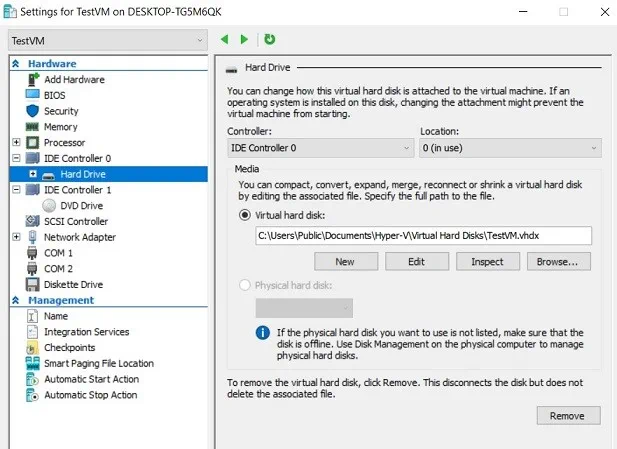
Are you running out of storage space on your hard disk drive (HDD)? Whether you’re dealing with large files, a growing collection of media, or just an aging drive, there are several effective ways to increase your HDD storage capacity. Here’s a comprehensive guide to help you optimize, upgrade, or expand your HDD space. 1. Upgrade Your Existing HDD 2. Add Additional Storage 3. Use Advanced Storage Configurations 4. Optimize Your Current Storage 5. Leverage External and Network Storage 6. Hybrid Storage Solutions 7. Explore Advanced File Systems 8. Invest in Storage Expansion Accessories 9. Upgrade to Higher-Capacity HDDs 10. Install Additional Drives 11. Optimize and Organize Existing Storage 12. Combine Storage Solutions (RAID or Storage Pools) 13. Build a Dedicated Storage Server 14. Expand with Storage Accessories 15. Cloud and Hybrid Storage Solutions To find out about our services,
Drive Missing During OS Installation: Causes and Solutions
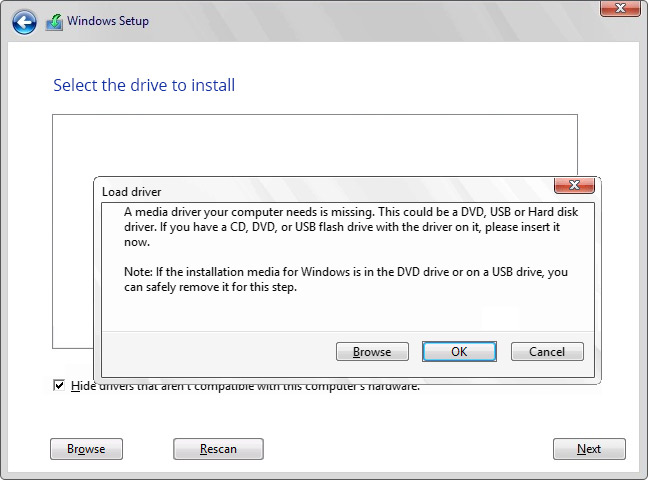
The “drive missing” issue during OS installation happens because the operating system’s installer cannot detect or access the storage device. This can result from several hardware or software factors. Here are the most common reasons: 1. Missing Storage Drivers 2. Incorrect BIOS/UEFI Settings 3. Uninitialized or Unformatted Drive 4. Partition Table Mismatch 5. Faulty or Loose Hardware Connections 6. Outdated BIOS/UEFI Firmware 7. RAID Configuration Issues 8. Faulty or Failing Drive 9. OS Installation Media Issues 10. Secure Boot or TPM Restrictions If the drive is missing while installing an operating system, follow these steps to identify and resolve the issue: 1. Verify Physical Connections 2. Configure BIOS/UEFI Settings 3. Load Storage Drivers 4. Use Disk Management Tools 5. Update BIOS/UEFI Firmware 6. Test the Drive for Failures 7. Use Compatible Installation Media 8. Recheck Partition Table Compatibility 9. Disable Intel Optane or RAID (If Present) 10. Try an Alternate Port or Device To find out about our services,