Key points
- OpenClaw name announced on 29 January 2026
- Agent risk depends on its reachable systems and tools
- Local hosting does not guarantee local-only data processing
- Untrusted documents and pages can carry prompt injection
- Configure isolation, scoped credentials and action controls
In this article
AI assistants can use tools to change files, send messages and run workflows. Clawdbot, later called Moltbot, is now known as OpenClaw: the project announced that name on 29 January 2026. Its development illustrates why action-taking agents require controls beyond a chat interface.
This guide keeps the security questions raised by the early Clawdbot/Moltbot discussion while using the current OpenClaw name. Capabilities and security defaults should be checked against the deployed release and current documentation.
What Is OpenClaw, Formerly Clawdbot and Moltbot?
OpenClaw is an open agent platform that can run on a laptop, homelab or hosted server and connect to supported messaging applications and tools. Depending on its configured integrations and permissions, it can:
- Manage calendar and messages
- Automate workflows
- Execute commands across systems
- Integrate with apps for real-world tasks
Self-hosting gives an operator control over the runtime location. It does not guarantee that all data stays on that machine: connected model APIs, messaging services and external tools may process information elsewhere.
Security Risks You Need to Know
An action-taking agent can turn a mistaken or manipulated instruction into a real change in another system. The effect depends on its tools, credentials, permissions and isolation.
1. Credential Exposure and Data Leaks
Exposing a management gateway or giving it weak access controls can expose credentials, conversations or operational controls. Early-2026 security research described risks around exposed Clawdbot/OpenClaw deployments. Treat those reports as configuration- and version-dependent findings, rather than proof that every current installation has the same defect.
2. Privilege and Access Risk
An agent may receive access to resources such as:
- Filesystems
- Messaging platforms
- Browser sessions
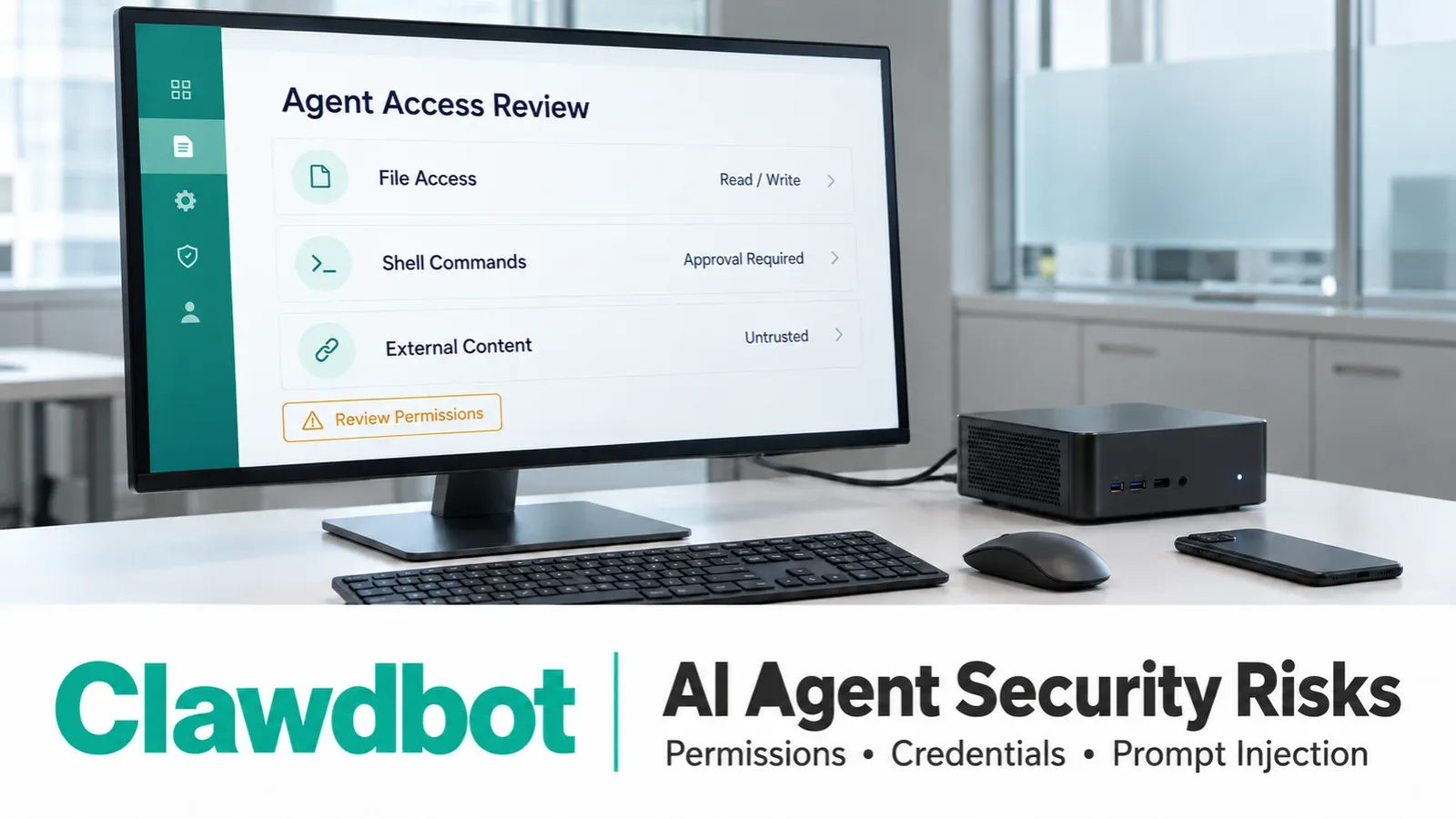
An agent with broad permissions can cause a larger incident if it is compromised or misdirected. Restrict reachable files, account permissions and available tools to the job it needs to perform.
3. Prompt Injection Vulnerabilities
Untrusted instructions can arrive through a web page, email, document or other content the agent reads. If the model follows those instructions, it may misuse an enabled tool. Keeping a chat channel private does not remove this external-content risk.
4. Shadow AI and Governance Gaps
An agent used outside the organization’s approved processes can create shadow-AI risks. Open-source software is not inherently missing access control or logging: current OpenClaw documentation describes security controls. The issue is whether those controls are configured, operated and aligned with organizational policy.
Limitations and Real-World Concerns
Practical deployment questions include:
1. Technical Complexity
Safely operating a self-hosted agent can require skills in:
- Command-line experience
- Server or VPS configuration
- Skills in sandboxing and token management
Setup and maintenance need an identified owner, especially when the agent can reach business systems.
2. Cost and Resource Overhead
Cost depends on hosting or local hardware, the selected model, usage, API charges and monitoring. Open-source availability does not make the complete deployment free to operate.
3. Security vs. Utility Trade-Off
Isolation and limited credentials reduce the impact of mistakes or malicious input. They can also restrict what the assistant can do. Choose an explicit operating boundary instead of granting access to a primary workstation and every business account.
How This Fits Into AI Security Evolution
Action-taking agents appear in several settings:
- Local first AI tools
- Enterprise automation workflows
- AI task managers
But the evolving capabilities also raise new questions about security, governance, and control.
Governance should connect an agent to an accountable owner, permitted actions and a record of tool use. Controls must be enforced at the tool, account and runtime layers as well as described in instructions.
The Future of Autonomous AI and Secure Agents
Areas of development include stronger permission controls, isolation and auditability. These are evaluation priorities, not guarantees that future agents will be safe by default.
Intelligent Governance Tools
Context-aware checks can help identify risky actions. They should support explicit permissions and approvals rather than replace them.
Secure Sandboxing & Isolation
Restricted runtimes can limit access to files, credentials and the host. Sandboxing must be configured and tested; installing the platform does not prove that all tools run inside a sandbox.
Enhanced Auditing & Logging
Logs can help explain what the agent accessed and changed. They can also contain sensitive information, so retention, access and secret handling need to be planned.
Policy-Driven Execution
Tool policies, scoped credentials and approvals for high-impact actions can reduce risk. Monitor their enforcement and review permissions as the workflow changes.
OpenClaw highlights a practical distinction: an assistant that can act inherits the risks of the systems it can reach. Start with a limited workflow and verify what it can read, change and send before expanding access.
Secure operation requires ongoing patching, permission review and incident preparation. If credentials may have been exposed, contain the affected runtime, review activity and rotate the affected credentials through the organization’s incident process.
A Practical Deployment Boundary
Begin with a low-impact task and a separate runtime or account where appropriate. Grant only the tool and account permissions required. Keep management access restricted, maintain the software and review extensions before enabling them.
Test the boundary with realistic files and external content. Confirm which actions need an operator’s decision and how to revoke access or stop the runtime if behavior is unexpected.
Practical Next Step
Assess the permissions and data flows of any agent used with business systems before expanding its access. Discuss your cybersecurity requirements with Servicing24 Limited.
Sources and Further Reading
Common questions
Are Clawdbot, Moltbot and OpenClaw the same project?
They are names used during the project’s development. The project announced the OpenClaw name on 29 January 2026. Use current documentation for the installed release.
Does running an AI agent locally keep all data on the device?
No. Model APIs, messaging platforms and connected services may process data elsewhere. Review the actual integrations and data flows.
Can a private agent still face prompt injection?
Yes. An agent can read malicious instructions in an email, document, attachment or web page even when only trusted people can message it directly.
Does installing OpenClaw mean all commands are sandboxed?
No. Isolation depends on configuration, runtime and tool settings. Verify what the agent can access and where its actions execute.
What should an organization check before allowing an agent to use business systems?
Assign an owner, define the permitted workflow, restrict tools and credentials, test isolation, review logs and require appropriate controls for sensitive actions.
Need help with this in your own setup?
Talk to a Servicing24 engineer. We’ll give you a plan and a clear price.